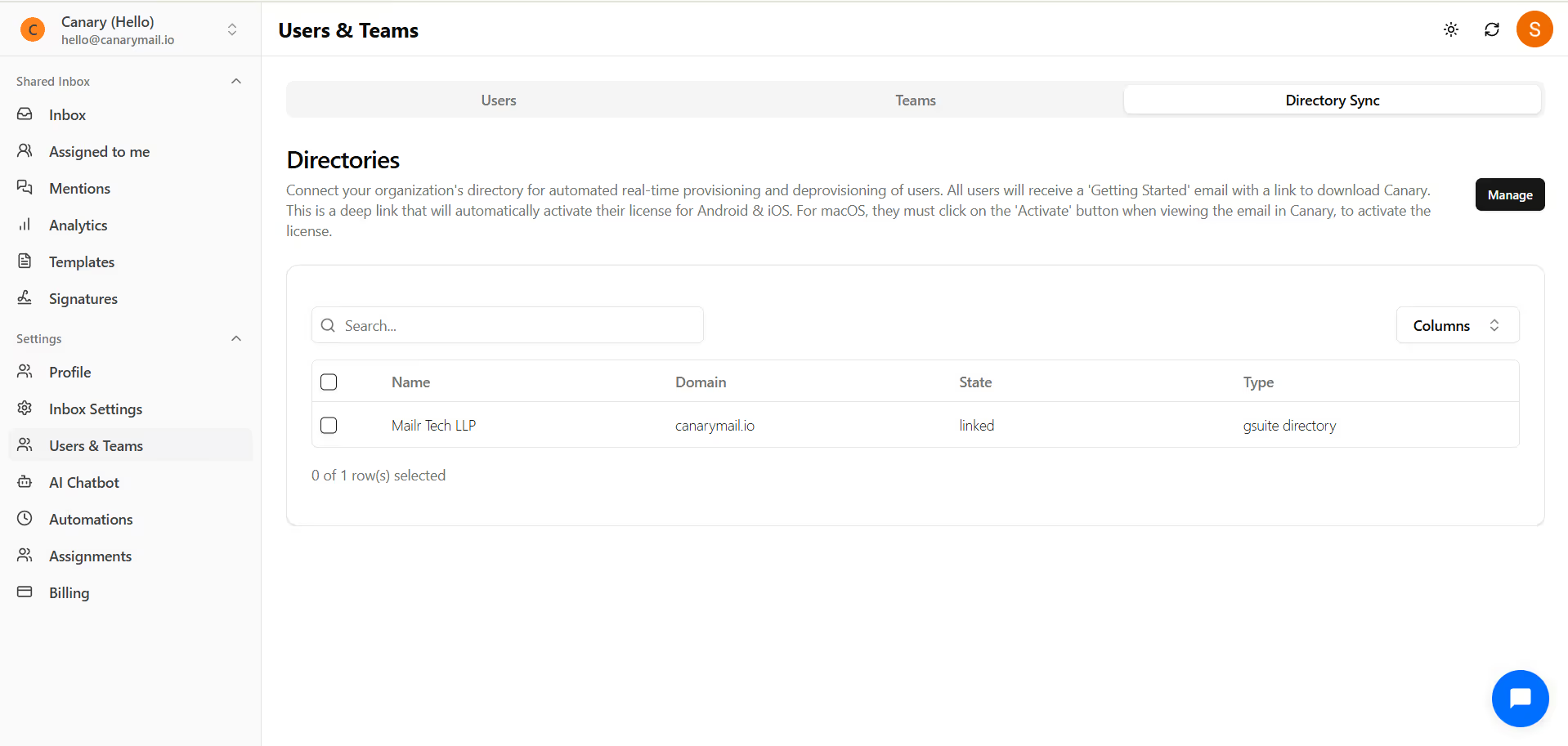
Directory Sync allows you to connect your organization's directory for automated real-time provisioning and deprovisioning of users.
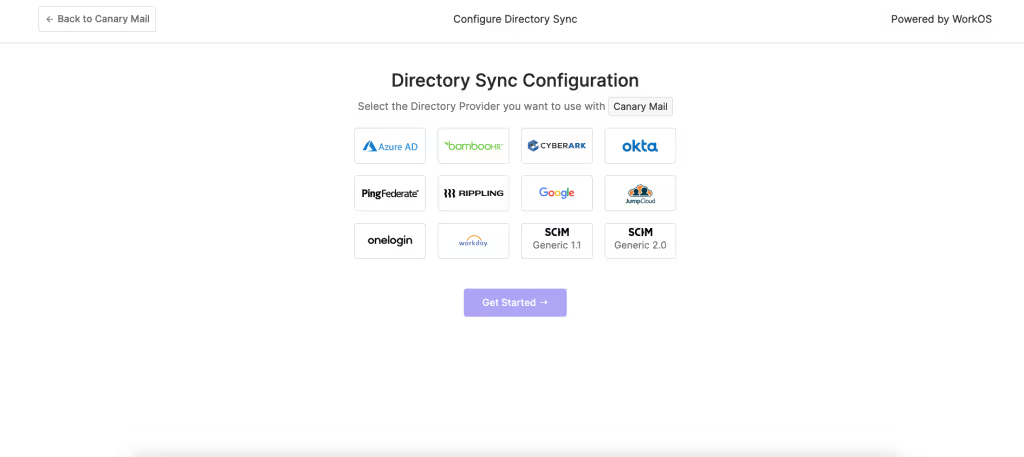
1) Go to Settings -> Users & Teams -> Directory Sync and click on 'Connect Directory' and you will be directed to the WorkOS Directory Sync Configuration.
2) Select the Directory Provider you want to connect with CanaryMail and configure the required settings.